Greg's Factory Output Vol 11 - Pool shadow and you can get that HERE It's called Factory Output II on this site.
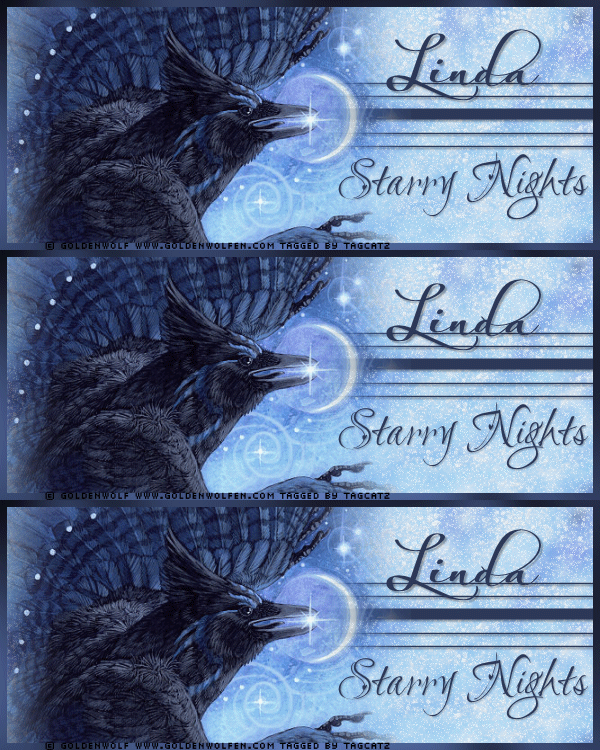
Open your bird tube, copy and close Paste as new layer Effects, Plugins, Mura's Meister, Copies:  Crop to 600 x 250 Paste as new layer - should still be your bird Move to the left and down a bit Crop to size again Click your background layer to activate it Adjust blur, gaussian blur, 5 Effects, Plugins, Eye Candy 5000, Nature - Snow Drift  Duplicate this layer twice so you have three background layers Click the top background layer to activate it Effects, Plugins, Xenofex II - Constellation: 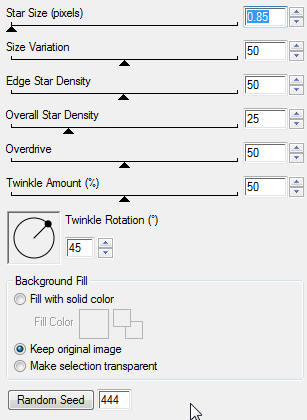 Click the middle background layer and apply constellation again, but change the random seed Click the bottom background layer and apply constellation again, but change the random seed Click your top background layer to activate it Set your background color to #2d3958 and null the foreground With your preset shapes tool, rectangular, pull a narrow rectangle across the tag Convert to raster layer Duplicate this layer and move it down, leaving enough room in between for the solid line Switch your foreground and background Pull a rectangle across the tag in between the first two you did Convert to raster layer Position where you want them and then give each layer a small drop shadow On each of these layers, erase any of the lines that show to the left of the bird Click your top layer to activate it New raster layer Selections, select all Selections, modify, contract 7 Selections, invert Flood fill with your blue color Effects, Plugins, Greg's Factory Output Vol 11 - Pool Shadow - default settings Deselect Add your copyright info for the Goldenwolf tube For my name, I used Always Black in the same blue color For the Starry Nights I used LoveLight in the same blue color Give both a small drop shadow Close the eye on the middle and bottom background layers Click the top background layer to activate it Edit, copy special, copy merged Go to AS and right click to paste as new layer Back to PSP, close the eye on the top background layer Click the middle background layer and open the eye Edit, copy special, copy merged Go to AS and paste after current frame Back to PSP, close the eye on the middle background layer Click the bottom background layer and open the eye Edit, copy special, copy merged Go to AS and paste after current frame Save as a gif file and your tag is done! To make the avatar - go back to PSP Merge all flatten Activate your crop tool, and set the dimensions to 150 x 150 Move the crop box over the area you want to crop: 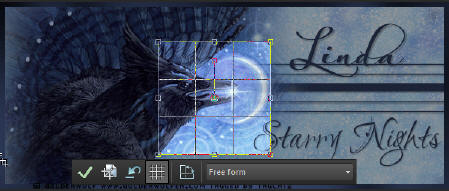 Click in the crop area to finalize it Selections, select all Selections, modify, contract, 5 Selections, invert New raster layer Flood fill with your blue color Effects, Plugins, Greg's Factory Output Vol 11 - Pool Shadow - same settings Deselect Add your copyright info Add your intial/s Merge all flatten and save as a jpg I hope you enjoy your new tag and avatar! tagcatz
|