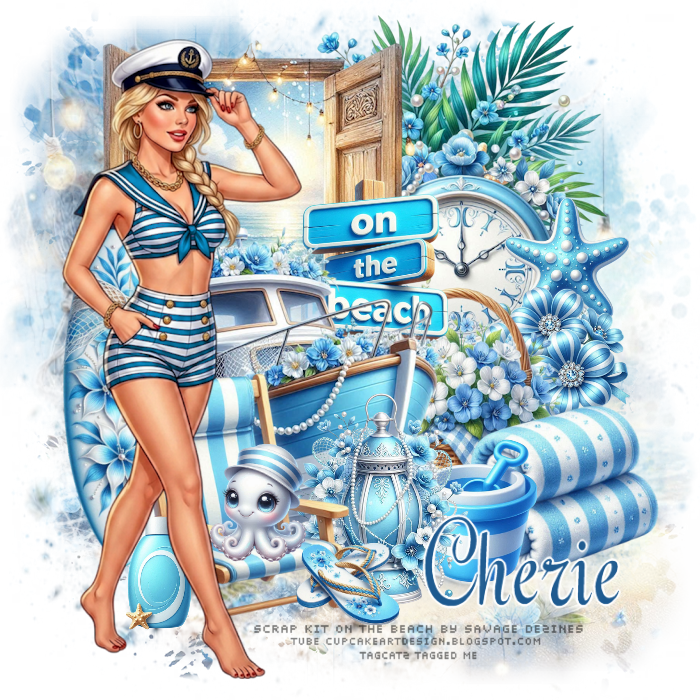
Open a new transparent image 700 x 700 - you can resize later if you like Open paper 5, resize to 700 width, copy, close and paste as new layer Layers, Load Save Mask, Load Mask from Disk, choose Mask 65 with Source Luminance, Fit to Canvas and Hide All Mask checked Merge group Open element 112, copy, close and paste as new layer open element 27, resize to about 400 width, paste as new layer and move to the top right Open element 76 resize to about 280 width, paste as new layer and move so it overlaps the greenery Open element 49, resize quite small and move to overlap the right side of the clock dial Open element 73, resize quite small and move below the starfish, but overlap it a bit Open element 37, resize about 300 width, to the right a bit so it overlaps the other flowers Open element 94, resize about 250 width, move down and to the right Open element 66, resize quite small and move down beside the towels Open element 106, resize to 400 width, move to the top left Open element 120, resize smaller and move to the bottom right of the window, and overlapping the clock Open element 79, resize to about 380 width, paste as new layer, move down and to the left Open element 13, resize smaller and move down in front of the boat Open element 55, resize smaller Image free rotate, right 40, with rotate single layer around canvas center checked Paste as new layer and move to the left side of the tag Open element 44, image flip horizontal Resize smaller and move down in front of the boat Pick one of the little creatures to make smaller and move on to the chair seat I used element 107 Open element 47, resize quite small and move down beside the chair Open element 57, resize quite small and move down in front of the right side of the chair Open your tube from AICupCake Art Design, Femme Marin 1 You can leave the color the way it is, or change it, which is what I did Image, flip horizontal With your selection tool, pull a rectangle from her shoulders to below her shorts Set your foreground color to #0c99d4 With your color changer tool, click on her collar - once should do it Deselect Copy and close Paste as new layer and move her to the left Go through your layers and add drop shadows to your elements I used 0, 4, 17, 12, black If you're going to resize, do that now before adding any text Add credits for the scrap kit and the tube to your tag I used Pixelette, black and then reduced the opacity to 60% Sadly, I've forgotten which font I used for the name - but any nice script font will do I used #17558c for the name Type the name and size to what you want, then convert to raster layer Selections, select all Selections, float Selections, defloat Selections, modify, select selection borders, outside, 2, anti alias checked New raster layer Flood fill the selection with white Give it a drop shadow Deselect Layers, merge, merge down - now you can move it to where you want it Merge visible and save as a png file Thanks for trying my tut - enjoy your tag! |